
U3 Support Homepage
The following quickstart is for Windows, the Mac & Linux page is here.
U3 Quickstart for Windows
This section demonstrates, step by step, how to perform two common operations in the free LJControlPanel application.
U6/U3/UE9 Devices
| Windows Installer 48.55 MB 2013-05-23 17:54 |
This is the installation package for Windows for the U3, U6, UE9, T7 and Digit. It supports both 32-bit and 64-bit versions of Windows XP, Windows Vista, Windows 7 and Windows 8. All high-level functions within the UD and LJM libraries will be available through this installation. Example code using these libraries can be downloaded according to language in the programming section.
This installation includes the driver, libraries, documentation, and utility applications listed below
Utility Applications
- LJControlPanel 2.31 - Simple configuration and testing utility for the U3/U6/UE9
- LJSelfUpgrade 1.29 - Updates firmware on the U3/U6/UE9
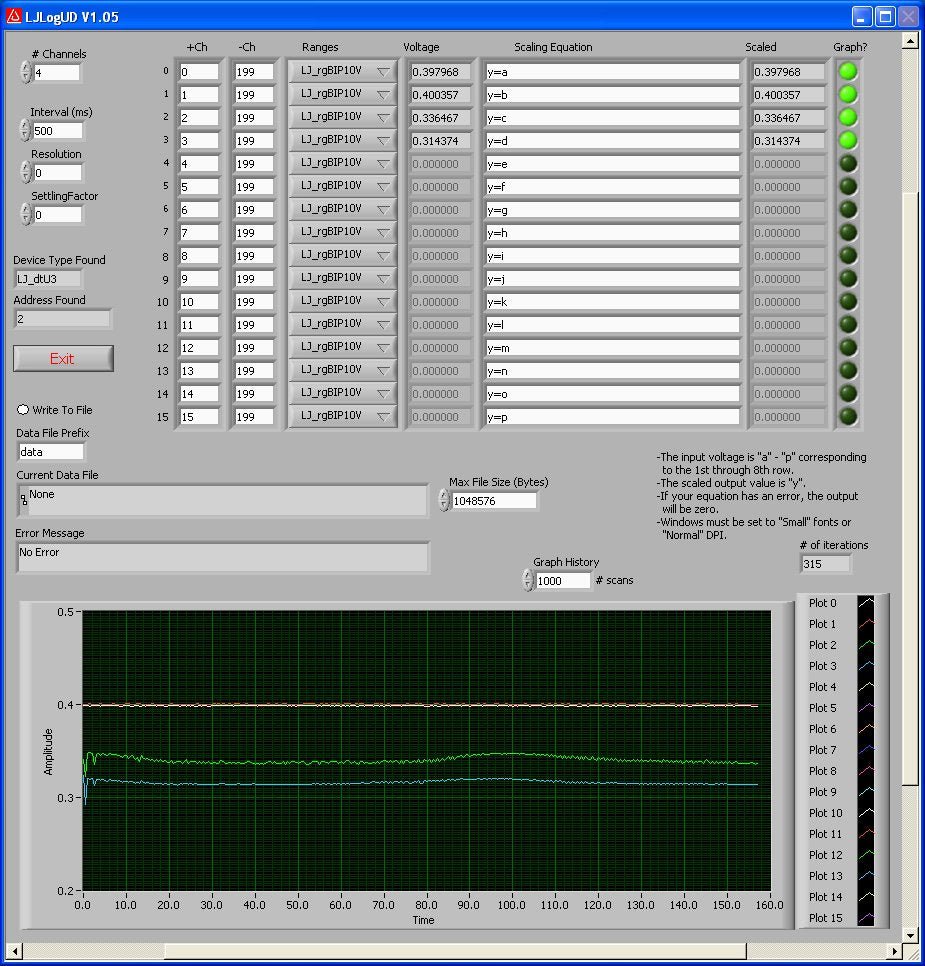
- LJLogUD 1.12 - Logging program up to 10 Hz for the U3/U6/UE9
- LJStreamUD 1.14 - Logging program up to 80,000 Hz for the U3/U6/UE9
- Kipling 0.2.14 - Basic configuration and testing application for the T7
- Otero 1.24 - Configuration and downloader for the Digit series loggers
Code Libraries
- LJM Library 2.40 - Library of high-level code functions for the T7/Digit
- LJM Constants 2013.5.23 - JSON constants file for the LJM library
- UD Library 3.35 - Library of high-level code functions for the U3/U6/UE9
Low-level Driver
- LabJackWinUSB Driver X.XX - Driver for Windows USB communication to and from all LabJack devices
Tip: Uninstall previous versions before installing new versions. If a LabJack is connected during installation, unconnect and reconnect when done.
The normal ways of uninstalling previous versions of the package are:
- Do Start => Programs => LabJack => Uninstall.
- Go to Windows Control Panel (not LJControlPanel), then go to Add/Remove Programs, then find "LabJack" or "LabJackUD".
Here are the alternative manual steps:
- Go to Start => Programs, find the LabJack group, right-click on it, and delete from the start menu.
- On your hard drive delete the LabJack folder which is usually in "C:\Program Files\" or "C:\Program Files (x86)\"
- Find and delete delete labjackud.dll in your system directory (i.e. "C:\windows\system32\" or "C:\windows\SysWOW64\").
details
| Macintosh Package 188.37 KB 2013-05-01 14:31 |
This is the installation package for Mac for the U3, U6, UE9. It is a native USB driver, so only low-level functions can be used. Low-level functions are documented per device in the low-level section of their datasheet. This installation does not include any utility applications.
Low-level Driver
- Exodriver X.XX - Driver for Mac and Linux USB communication to and from all LabJack devices
Installation guide with demonstration code here.
details
| Linux Package 188.37 KB 2013-05-01 14:31 |
This is the installation package for Linux(same as Mac) for the U3, U6, UE9. It is a native USB driver, so only low-level functions can be used. Low-level functions are documented per device in the low-level section of their datasheet. This installation does not include any utility applications.
Low-level Driver
- Exodriver X.XX - Driver for Mac and Linux USB communication to and from all LabJack devices
Installation guide with demonstration code here.
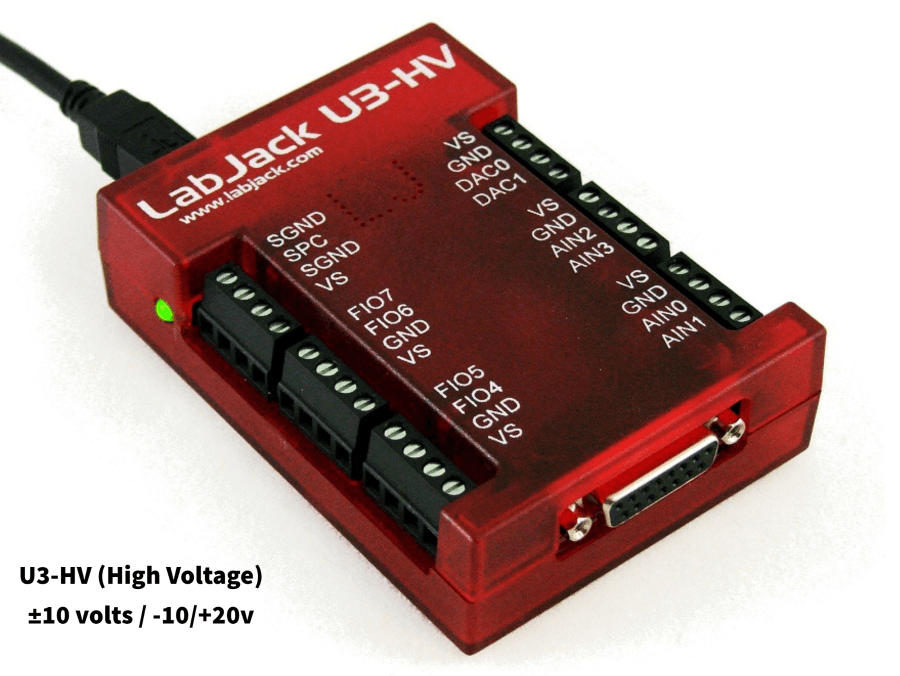
The status LED should blink at power up and then stay solid on. If Windows asks about installing new hardware accept the defaults.
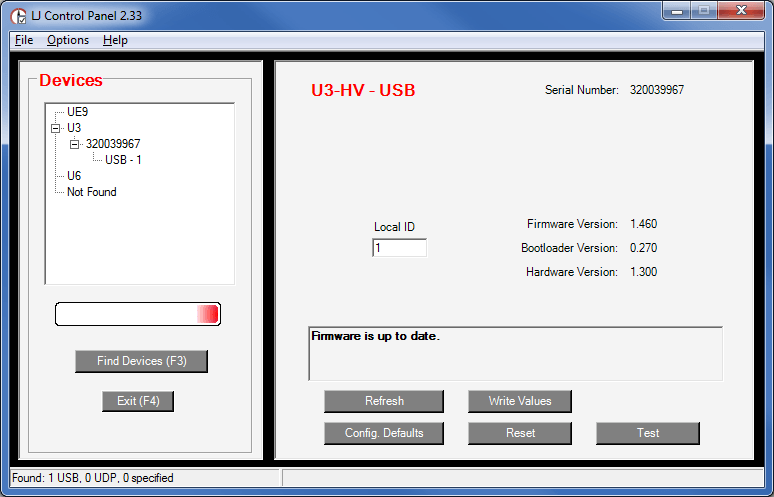
LJControlPanel is a free application installed along with the driver. You should be able to find it in the Start Menu links.
The right hand side of the screen will change.
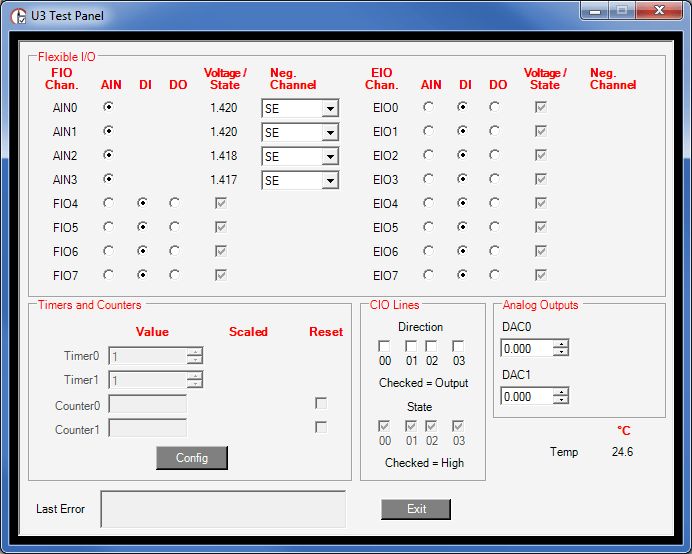
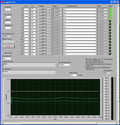
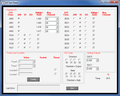
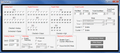
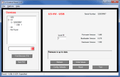
This brings up the test panel where you can read all inputs and write all outputs. This test panel is a great tool to use often and lets you check out basic hardware operation before trying more complex software.
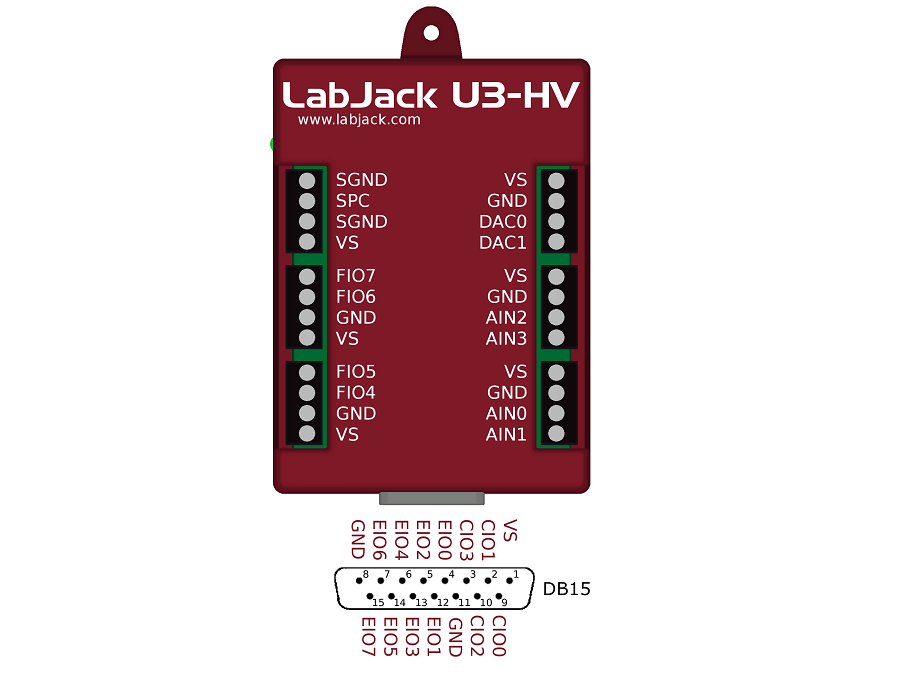
DAC stands for "Digital to Analog Converter", AIN stands for "Analog Input", FIO stands for "Flexible I/O". On the U3, Flexible I/O lines can be configured as either analog inputs, or digital I/O.
Adjust the DAC0 analog output voltage, you will see AIN0 follow DAC0 if the jumper wire is secured.
The FIO4 checkbox will change from selected to unselected showing that there is a voltage change.Software And Applications
Looking to take measurements or log data? Interested in using your own programming with the Labjack? We provide both easy to use applications and programming examples. Software and Examples
Getting Further Support
The U3 User's Guide contains most all the information you could ask for. If you have a question that you think should be covered in the documentation, try going to where you think it should be and post a comment. On any page click "Add new comment".
Search
Shopping Cart
Testimonials
-
Thank you for the quick response. :) Much appreciated.
—Robert, University of Missouri


Comments
#1
Hi
I wonder what the recommended range for temperature and humidity for the U3 is
Thanks
#2
From Appendix A of the U3 User's Guide the operating temperature range is -40 to +85 degrees C. Any humidty is fine but you can't have condensation.
#3
Hi everybody. I'm a PLC programmer. I've installed a industrial machine controlled by a PLC Siemens S7-200 and now, my customer wants to get acquisition data from the PLC. This morning he gave me a Labjack U3-LV to do the acquisition data. He told me that they used this device in the past for acquisition data from PLCs. As I knew nothing about this device, I've been looking for information about it. It's important to tell that this is the first time I see this device, but I think it is impossible to do acquisition data from a PLC with Labjack U3, Am I on the right? My apologies if this is a silly question.
#4
I think that's a fairly complicated question. The answer will depend on what data you want to collect and what data interfaces have been set up on the PLC.
The U3 is capable of asynchronous and synchronous serial communication so if the PLC will serially output data the U3 should be able to read that. Or if you simply want to monitor some analog or digital lines the U3 should be able to handle that as well.
#5
Hello I am using the U3 and want to power a relay with DAC0, what is the max mA the U3 will put out at 3V? The relay I have will not switch, I guess because its not getting enough current, the voltage drops from 3V to 0.9V. I'll have to find a different relay but need to know the max current.
#6
Section 2.8.1.4 has great information about controlling relays. Also see note #13 and the related DIO specs in Appendix A. For the DAC it is specified as having a short-circuit current of 45mA, but the more important spec is the 50 ohms of source impedance which tells you how much voltage you will lose as you draw more current.
#7
Hello,
I want a very low bandwidth approach to reading 16 AI Channels from the U3. This need results from the fact that my customer wants to use a USB cable length that is more than 10 feet, so the signal degrades and I get errors. Is there a way to setup the U3 to asynchronously spit out voltage levels of data once every second? If not, what method is the lowest overhead approach to getting data from 16 channels once or twice a second? Thanks, Brad 480-489-4111
#8
USB spec says that cables to 5m are fine.
Whether you collect data every 10 milliseconds, or every 10 seconds, the data is still transferred at 12 Mb/s. The difference is how much idle time there is between transfers.
If you are having trouble collecting data once per second for a long period of time, I suggest you start a discussion on our forum.
#9
Hi all,
I'm developing with a labjack U3-HV and profilab expert 4 a software to control my home brewing system. Now i have a 4-20 mA thermocouple that intercept the wort temperature. If the wort Temp is lower than the input set temp for that step open an electrovalve that heat the wort with vapour. The electrovalve is driven (in my plan) by theLJTick-RelayDriver Datasheet. I have connected the relais driver to FIO6/7 and would like to replicate the connections according to Figure 4 of the relais datasheet.
Now if i connect VS+Ra to positive and GND to negative i should get a switch closed/open according to the state of FIO6 (correct?)
The problem is that if i apply a+5V or 0V to the FIO6 nothing change. How can i turn "output-high" to close the switch?
#10
So you have a 5 volt relay? Can you provide a link to technical details for it?
I don't follow your description of the connections. Figure 4 shows VS to the positive of the relay, negative of the relay to RA, and GNDR to GND (plus the optional VS to VR connection that you should add later).
Use the test panel in LJControlPanel to test operation. Set the line to output-high to activate the relay, and set the line to output-low to disable the relay.
To continue this topic, please post on the LJTRD datasheet or on our forum.
#11
How would I approach hooking up a camera to the labjack? The camera in question is a Marlin AVT F033b. Once hooked up how would I get the LJ software to recognize the camera hardware?
#12
Are you wanting to just send some control commands to the camera, or actually try to acquire an image from the camera? Does you camera have some sort of serial interface? I would continue this discussion on the LabJack Forum.
#13
The camera is actually just one part of the project. I need the LabJack to generate an arbitrary waveform (say a 10Hz triangle wave with 10V peak-peak). Is this possible?
I'm also trying to syncrhonize the camera's acquisition with this waveform such that the camera captures a picture at the rise edge of the Labjack output.
I'm extremely new to LabJack as well. Thanks!
#14
See the Waveform Generation App Note. You can get enough updates from a DAC on the U3 to make a 0-5V triangle wave, but with the 16Hz filter I suspect it will wind up a little rounded looking.
If there is some sort of signal the U3 can send to tell your camera to capture an image, then sending that signal at any point of the waveform should be no problem (depending on the nature of the signal that needs to be sent).
To get into more details about this particular application, I would use the LabJack Forum, rather than page comments here.
#15
Is it possible to connect the U3 to a router for wireless data acquisition?
#16
You need to convert USB to Ethernet, using a USB Server (also called USB over IP device), then the Ethernet can connect to a normal WiFi router, access point, or bridge. Or use something like the SX-2000WG which is a USB hub with a WiFi link. See the USB via other app note.
#17
We have a Labjack U3-Lv. How can we measure +/- 12v with this device? We tried but we measured 2.44v every trying.
#18
I would start by looking at Section 2.6.3.6 of the U3 User's Guide and the LJTick-Divider datasheet. If you use your own voltage divider without a buffer, keep the resistors to 10k or less (or 200k if you use LongSettling). If you go with the LJTD, you could get the stock UNI10V version (attenuates 14V down to 3.5V) and use the 0-3.6V special range on the U3-LV. Or you get the custom LJTD-UNI21V which attenuates 20.5V down to 2.5V.
#19
Hi, is there an easy in house option to have 0-10V analog output?
#20
You can buy the LJTick-DAC. Also see Section 2.7.1.2 of the U3 User's Guide.
#21
>>> import u3
<class 'LabJackPython.LabJackException'>: Could not load labjackud driver. Ethernet connectivity availability only.
I get this when I try to import u3.
It works fine in LJControlPanel.
Any Ideas?
#22
My first guess would be that the version of Python and UD driver are not both 32-bits or 64-bits on your computer. They both need to match up or else Python will not search in the correct directory for the UD driver and there will be conflicts in general. On the UD driver's page there are downloads for both 32 and 64-bit versions of the driver.
Let us know if this does not help resolve the issue.
#23
please how do i use my labjack to read input voltage more than 2.44V may be up to 10V
#24
The U3-HV has 4 high-voltage channels that have a range of +/-10 volts or +20/-10 volts. For low-voltage channels on a U3, a good solution is the LJTick-Divider. See Section 2.6.3.6 of the U3 User's Guide.
#25
I can't seem to find the installed library drivers for labview. I had no problem installing a U12, but now with a U3, I can't see the sub vi's for controlling the U3 under LabView's addons. Does anyone have any idea why those weren't installed or how to put them in the right place if they are installed elsewhere?
#26
Did you see the related info in the readme file in the LabVIEW_LJUD archive? If not, see if that helps.
#27
i need to write a sequence that will use time in programming an output based on input and time intervals
#28
What OS and language are you wanting to use? Your best bet is probably to post on the appropriate board of the LabJack forum, or if you are asking about DAQFactory scripting post on the Azeotech forum.
#29
This landing page could really do with having some information added for Linux and OS X users - you guys have great "other" OS support yet a first time user can't see that on this page at all!
#30
We are not ready to make a quickstart for Mac & Linux yet (we are refining some things so that makes sense), but I did add some useful links to the top of this page to at least point in the right direction.