
Skip to Navigation

U6

Everything tagged "U6"

LJStreamUD V1.05

LJStreamUD V1.05 has been posted.  It has many changes compared to earlier versions.  Go to the LJStreamUD support page.


tags:

Declaration of Conformity

Many of our products have been tested for CE marking, which reflects FCC compliance, EMC (electromagnetic compatibility), EMI (electromagnetic interference), RF emissions, RF immunity, and the ability to survive ESD (electrostatic discharge).  Part of the CE mark, is that we make a Declaration of Conformity where we point out what standards the devices have been tested to.  You can generally find the declarations on the datasheet for a particular device, but here are some fancier versions.

All LabJack-branded products are RoHS compliant. Download a certification listing our products with that statement.


tags:

LJSocket (TCP Interface)

LJSocket provides a socket interface to a LabJack. It’s one of many ways to communicate with a USB LabJack over Ethernet or WiFi. Using LJSocket, anything that you could write to a LabJack over USB, you can now write over a TCP socket. This allows, for example, to send Modbus TCP packets to a U3 or U6. (The UE9 natively supports Modbus TCP over its Ethernet interface.)

Even without using Modbus, LJSocket is useful because a socket interface is easier than a USB interface. Any software or programming language that can communicate using sockets (e.g., LabVIEW or Python) can communicate with a LabJack without any drivers or knowledge about USB.

Because it uses TCP sockets, network transparency is built into LJSocket. You can plug a LabJack into a remote computer and access it from another.

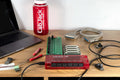
In this picture, a Chumby is running LJSocket, and making the U3 available over the WiFi network.

LabJack U3 connected to Chumby

The source code for LJSocket is available on GitHub. If you use Windows there is an executable attached to the bottom of this page.

If you use Python to talk to LJSocket, start LJSocket on one computer (IP address 192.168.1.2 in this example) connect a U3, and on another computer on the local network, run this code:

  
>>> import u3
>>> d = u3.U3(LJSocket = "192.168.1.2:6000")
>>> d.configU3()
  

and it would be just like your U3 was connected locally.

h3.

2.5 - 10UA and 200UA

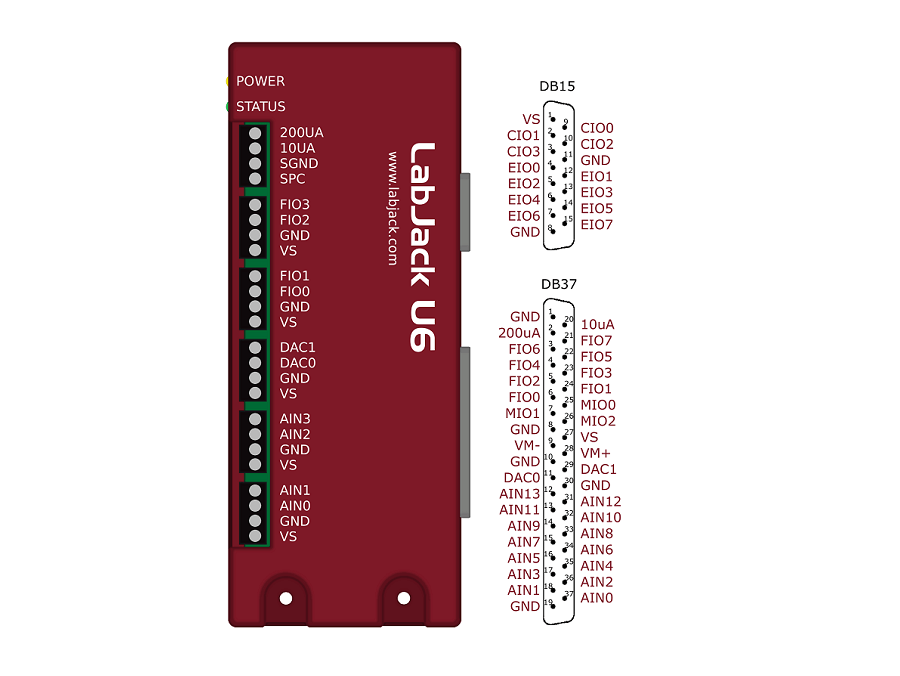
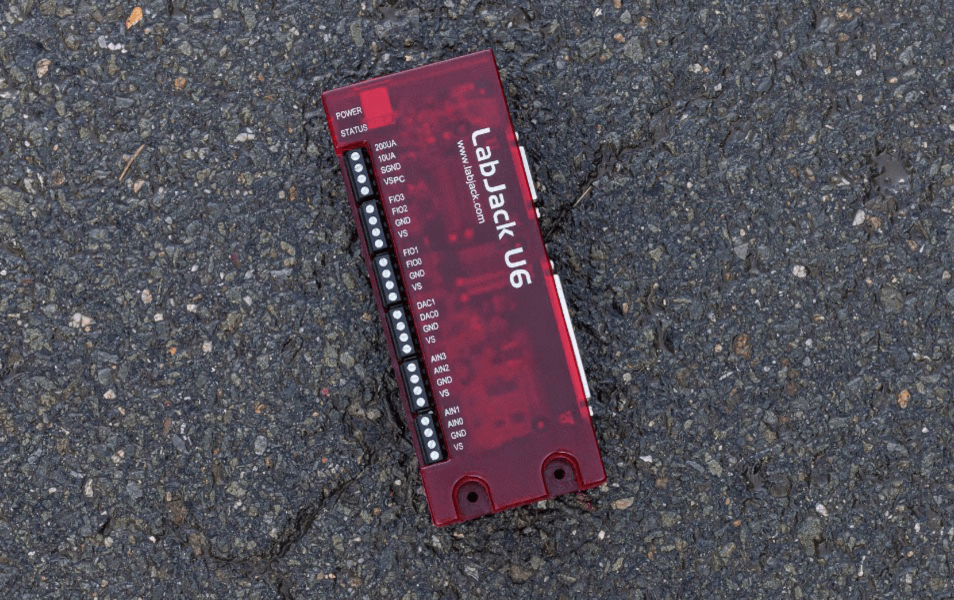
The U6 has 2 fixed current source terminals useful for measuring resistance (thermistors, RTDs, resistors).  The 10UA terminal provides about 10 µA and the 200UA terminal provides about 200 µA.

The actual value of each current source is noted during factory calibration and stored with the calibration constants on the device.  These can be viewed using the test panel in LJControlPanel, or read programmatically.  Note that these are fixed constants stored during calibration, not some sort of current readings.

The current sources have good accuracy and tempco, but for improvement a fixed resistor can be used as one of the resistors in the figures below.  The Y1453-100 and Y1453-1.0K from Digikey have excellent accuracy and very low tempco.  By measuring the voltage across one of these you can calculate the actual current at any time.

The current sources can drive about 3 volts max, thus limiting the maximum load resistance to about 300 kΩ (10UA) and 15 kΩ (200UA).

Multiple resistances can be measured by putting them in series and measuring the voltage across each.  Some applications might need to use differential inputs to measure the voltage across each resistor, but for many applications it works just as well to measure the single-ended voltage at the top of each resistor and subtract in software.

tags:

Comments

No comments yet. Speak up. We're listening.

DAQFactory

DAQFactory is measurement and automation software from AzeoTech.  The free Express version of DAQFactory works with the U3/U6/UE9/U12. To get DAQFactory Express, download the normal DAQFactory Pro Trial from AzeoTech, and after 25 days it turns into Express.

DAQFactory UI

DAQFactory allows non-programmers to make custom applications.  It is easy to collect input data, convert to engineering units, display it, and log it to file, without any programming (see the quick tutorial below).  Scripting is also supported so you can do advanced applications with control and automatic setting of outputs.  For more information, or to download, go to daqexpress.com.  For support, use AzeoTech's forum.


tags:

UD Library

The UD library is used for programming with the U3, U6, and UE9

Example Code/Wrappers: UD Library

U6 U3 UE9 U3/U6/UE9 Supported
Examples In... Windows Mac Linux
DAQFactory
LabVIEW
Dev-C
Python
Visual Basic
.Net
Java
Delphi
PureBasic
MATLAB
Agilent VEE
Igor Pro
PureBasic
LabWindows/CVI
DASYLab

UD Library User's Guide

tags:

LJTick-DAC Testing Utility

This application will allow you to configure and test LJTick-DACs attached to any UD family device. While the actual cross platform Python script is contained in the LabJack Python package, we provide a stand-alone application for the convenience of our customers running Microsoft Windows.

If you get an error message that says something like “This application has failed to start because the application configuration is incorrect …”, try downloading this update for your machine:

x86 (32-bit Windows)
Link to Microsoft Downloads for 32-bit machines

x64 (64-bit Windows)
Link to Microsoft Downloads for 64 bit machines

File attachment: 

Igor Pro (Windows UD)

This download allows Igor Pro developers to utilize the Windows UD driver, featuring both an XOP and examples.

File attachment: 
tags:

Comments

No comments yet. Speak up. We're listening.

5.4 - Calibration Constants

This information is only needed when using low-level functions and other ways of getting binary readings. Readings in volts already have the calibration constants applied. The UD driver, for example, normally returns voltage readings unless binary readings are specifically requested.

Calibration Constant

The majority of the U6's analog interface functions return or require binary values. Converting between binary and voltages requires the use of calibration constants and formulas.

When using ModBus the U6 will apply calibration automatically, so voltages are sent to and read from the U6, formatted as a float.


Which Constants Should I Use?

The calibration constants stored on the U6 can be categorized as follows:

  • Analog Input
  • Analog Output
  • Current Source
  • Internal Temperature

Analog Input: The U6 has 4 gains and the pro has a 24-bit sigma-delta converter, so total of eight calibrations are provided: one for each gain for each converter. The U6 uses multiplexed channels connected to a differential input amp so, single ended and differential readings use the same calibration.

Analog Output: Only two calibrations are provided, one for DAC0 and one for DAC1.

Current Source: Two calibrations are provided, one for Iout0 and one for Iout1. The calibrations are the number of amps measured during calibration. These are just a number; there is no related formula.

Internal Temperature: This calibration is applied to a reading from channel 14 (internal temp) after the binary has been converted to Volts.


U6 Input Ranges

The U6 has a total of 8 input ranges. Four single ended and four differential. The eight ranges are:

tags:

Thermocouples (App Note)


Quick Summary: 

If you are measuring in the range of -50 to +150 degrees C, consider using a silicon type temperature sensor, rather than a thermocouple.  See the "Temperature Sensors" application note.

Understand the difference between resolution and accuracy

The U6 (or U6-Pro) is currently the best device for directly monitoring thermocouples without added signal conditioning.  The UE9-Pro is also good with thermocouples, and the UE9 is pretty good providing a resolution of roughly 1 degree C.  The U3 or U12 can only resolve raw thermocouple voltages within 10s of degrees C, and thus generally require an amplifier like the LJTick-InAmp or EI-1040.


Silicon Type Sensors:

In the range from -50 to +150 degrees C, silicon temperature sensors are generally cheaper, easier to use, and more accurate, than other types of temperature sensors. With no or minimal extra components, they provide a high-level linear voltage output that connects directly to a LabJack's analog inputs.

The EI-1034 is a silicon based temperature probe made by Electronic Innovations and sold by LabJack.  It uses an LM34CAZ sensor element from National Semiconductor.  The LM34 provides an easy-to-use 10 mV/degF.

The EI-1022 is a silicon based temperature probe made by Electronic Innovations and sold by LabJack.  It uses an LM335A sensor element from National Semiconductor.  The LM335A provides an easy-to-use 10 mV/degK, but needs a resistor also.


Thermocouple Complications:

tags: